Did I leak a secret?
Is there a key, token or password in this code before you commit or share it?
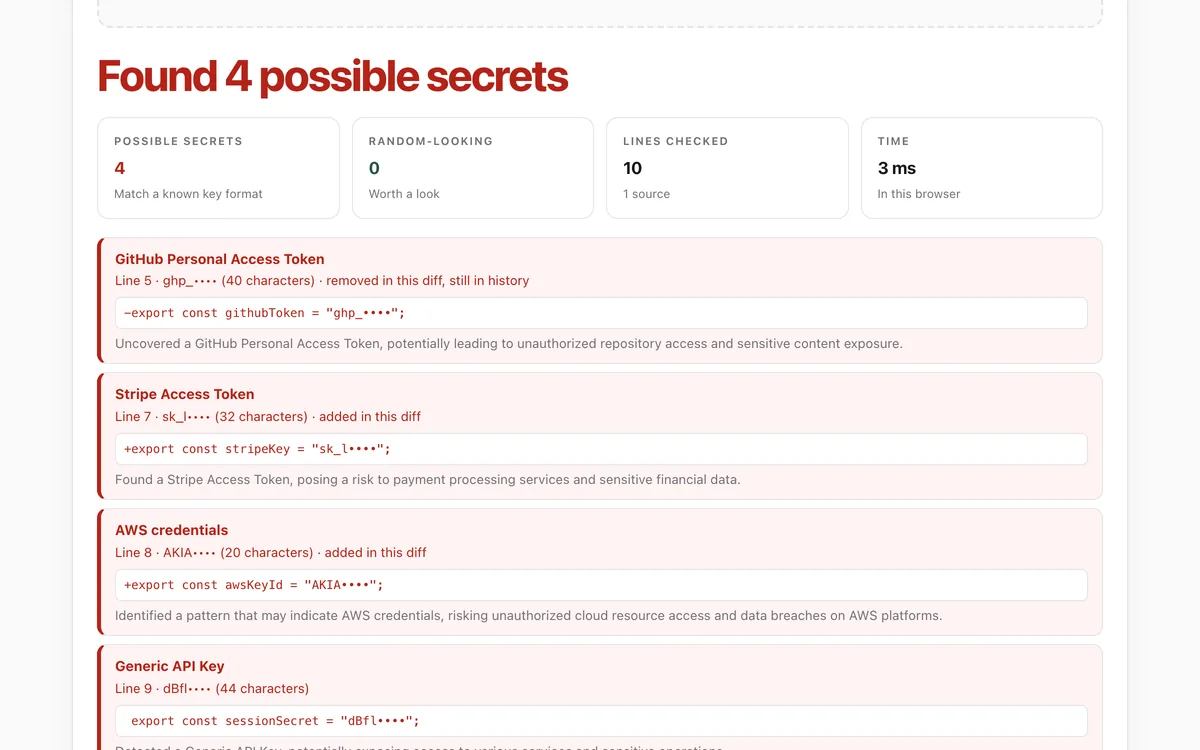
Paste code, a config file or a git diff, or drop in files, to find API keys, tokens and passwords with gitleaks' 222 rules running in your browser. Secrets are only ever shown masked, and nothing is uploaded.
What it measures
Known key formats
222 gitleaks rules for providers such as GitHub, AWS, Stripe, Slack, OpenAI and Anthropic, plus private keys, JWTs and passwords in URLs.
Generic keys
Values assigned to names like key, token, secret or password, when they look random enough to be real.
Random-looking strings
Long random strings no rule names: sometimes a key, sometimes an ID. Shown separately, as worth a look.
Diffs
In a git diff, whether a secret is being added, or removed but still sitting in your history.
How to use it
- Open the lab and paste code, a .env file or the output of git diff. Or choose files, or press Try an example.
- Press Check for secrets. Each hit shows the file and line, the first four characters, and the line with the secret masked.
- Follow What to do now. Rotate real keys at the provider first; deleting them from the file is not enough.
- Use Copy the report to keep a list. Secrets stay masked in it too.
Good to know
- It checks what you give it: not your whole git history. For that, run gitleaks on your machine: gitleaks git .
- It does not decode base64 or other encodings, which gitleaks can do.
- A pattern match is not proof. Test keys, examples and IDs can look like secrets; you know which are real.
What we found
We checked the lab against gitleaks itself: same rules, same files. The browser version found every one of the 177 findings the real gitleaks 8.30.1 reported, and nothing it did not.
How-to
API keys, tokens and passwords end up in code all the time: pasted in to test something, left in a config file, or written by an AI agent that was asked to "just make it work". Once a key is pushed to a shared repository, pasted into a chat or posted in an issue, assume someone has it. Bots scan public GitHub for new keys within minutes.
Check before you commit or share
- Open the secrets check.
- Paste what you are about to share: a file, a snippet, or your changes (
git diff --staged). Or drop in the files. - Anything red matches a known key format. Anything amber is a random-looking string worth a look.
If it found a real key
- Rotate it first. Go to the provider (GitHub, AWS, Stripe, OpenAI…) and revoke the key, then create a new one. Deleting it from the file does not help: it is still in copies, caches and history.
- Move it out of the code. Read keys from environment variables or a secret manager, keep them
in a
.envfile that is listed in.gitignore, and commit a.env.examplewith empty values. - Clean the history if it was committed:
git filter-repoor BFG Repo-Cleaner rewrite it. Everyone with a copy then needs to re-clone.
Stop it happening again
- Install gitleaks as a pre-commit hook, so every commit is checked on your
machine:
gitleaks git --pre-commit --stagedor thepre-commitframework's gitleaks hook. - Turn on secret scanning and push protection at your code host.
- Tell your AI agent: never write a real key into a file; use an environment variable and ask me for the value.
For your AI agent
Give your agent the Make your repo agent-ready skill: it sets up .gitignore for .env
files, a test command and an AGENTS.md that tells every agent where keys belong.
Check that it's private
This lab runs entirely in your browser and sends nothing anywhere. You don't have to take our word for it:
- The browser enforces it. This site's security policy only lets pages talk to lab.hopperlabs.ai. This command shows
connect-src 'self':curl -sI https://lab.hopperlabs.ai/labs/secrets-check/run | grep -i content-security-policy - Every file is listed with its fingerprint and source commit in privacy.json, so you or your agent can compare them and read the code.
- Once the lab has loaded, turn off Wi-Fi: it keeps working, because it needs nothing from the network.
More labs
Accessibility check
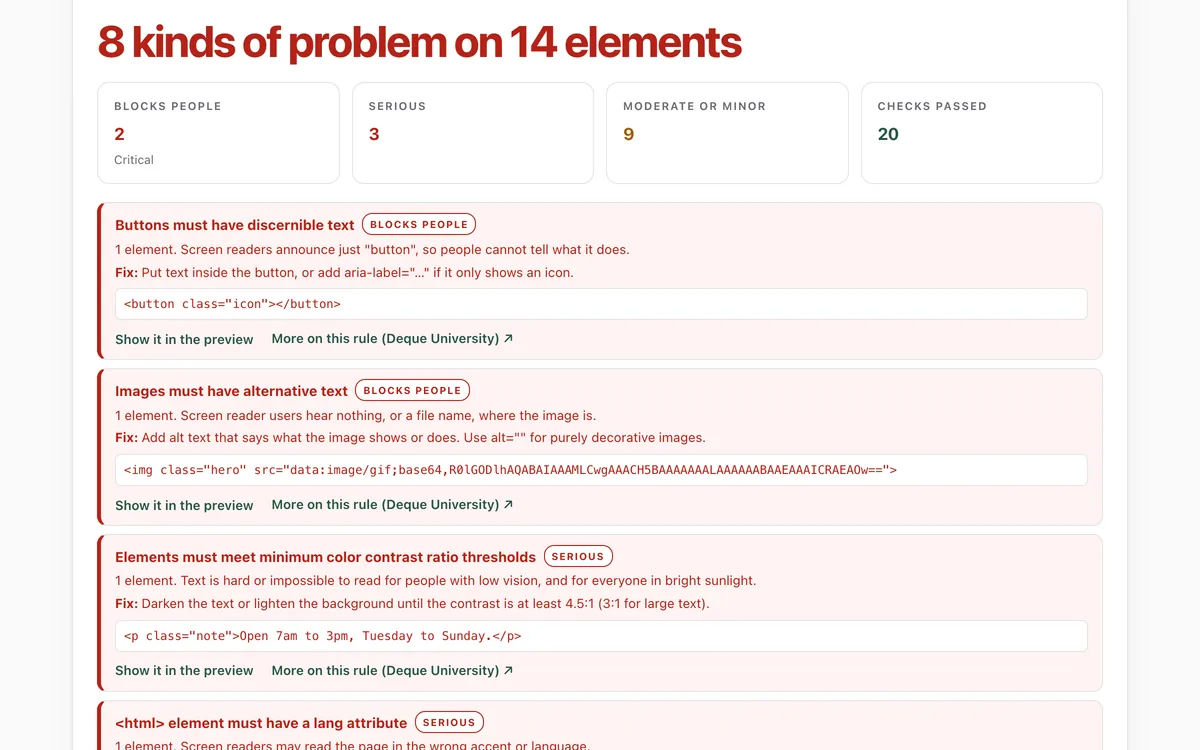
Can everyone use this page, including people using a screen reader or a keyboard?
Open lab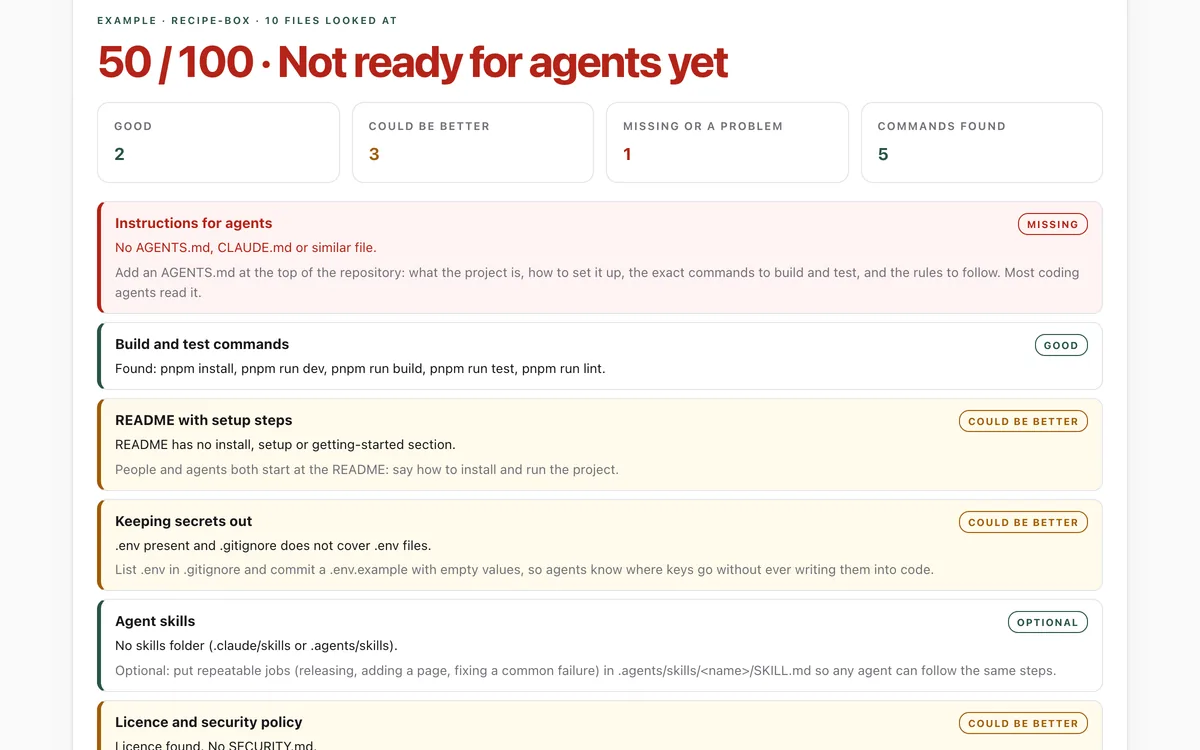
Make your repo agent-ready
Can an AI coding agent find its instructions, build, test and keep secrets out of your repository?
Open lab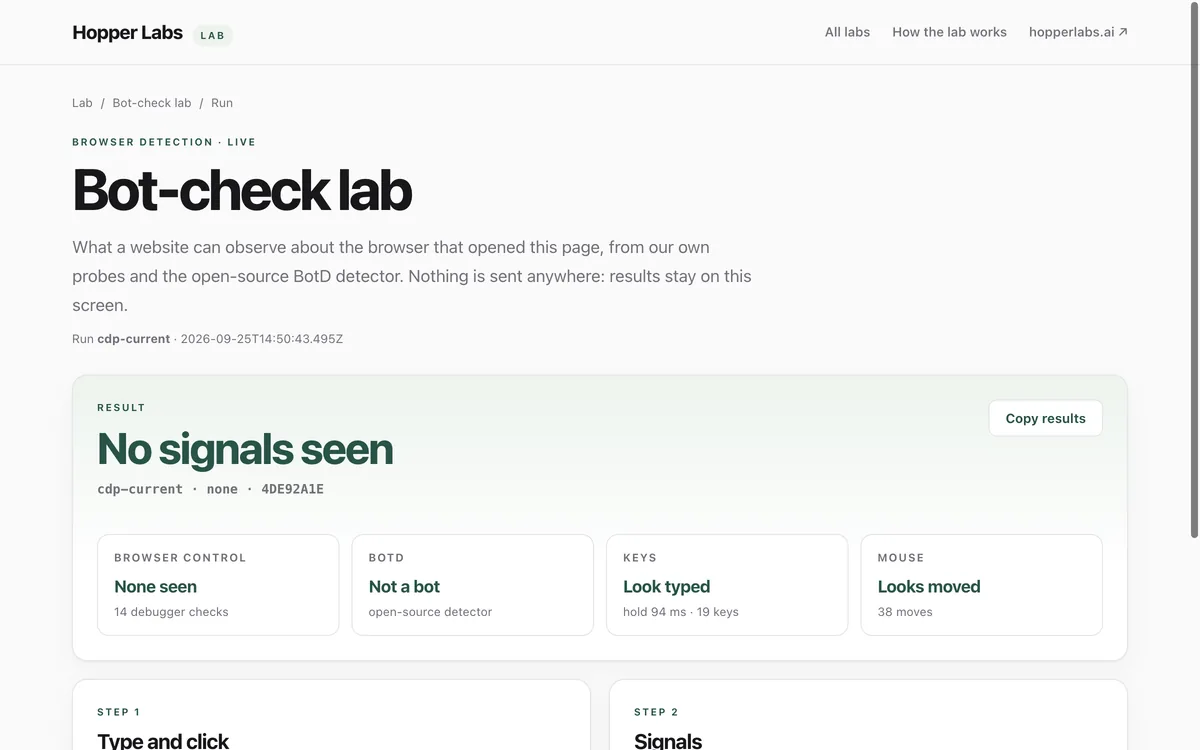
Bot-check lab
What can a website tell about the browser that opened it?
Open lab