Make your repo agent-ready
Can an AI coding agent find its instructions, build, test and keep secrets out of your repository?
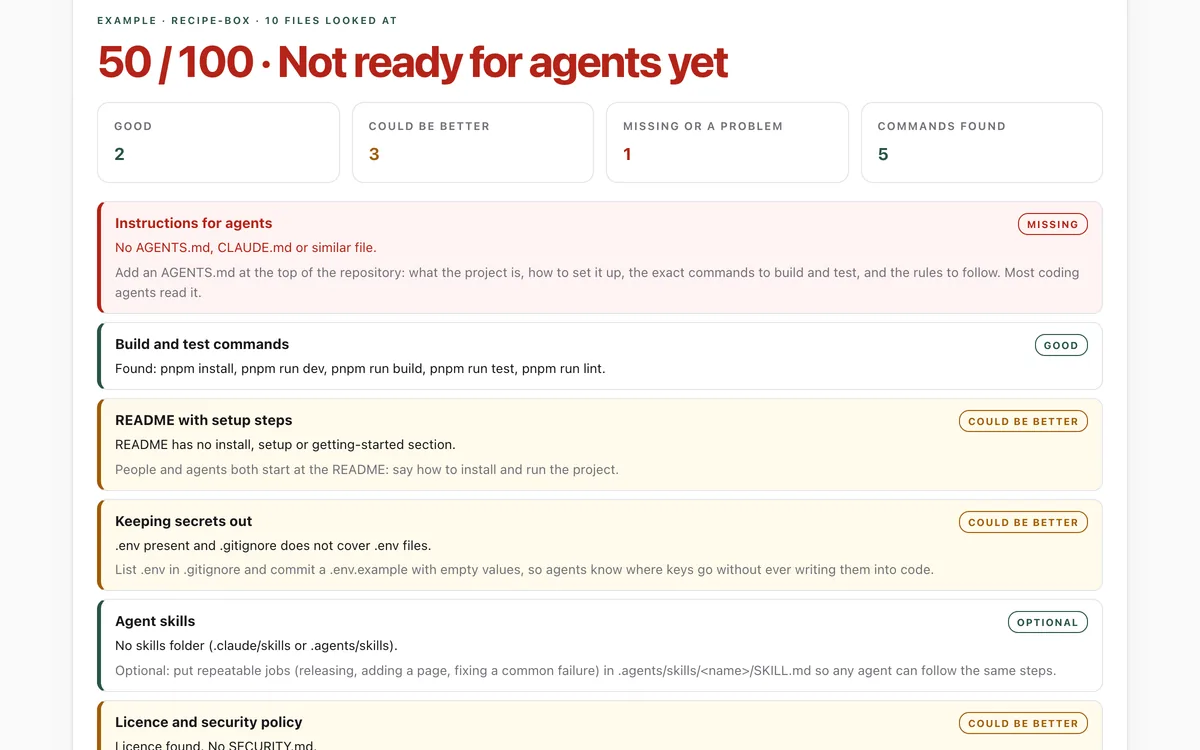
Drop in a repository folder to score it on what coding agents need: instructions, build and test commands, setup steps, secret hygiene, skills and policies. Then download a starter AGENTS.md built from your own files.
What it measures
Instructions
An AGENTS.md (or CLAUDE.md, Copilot or Cursor instructions) that says how to test, specifically.
Commands
Build and test commands an agent can run to check its own work: package.json scripts, Makefile, pyproject, Cargo or Go.
Secrets
.env files kept out of git, and no key-shaped values sitting in them.
Skills and policies
Agent skills with valid frontmatter, a licence and a security policy.
How to use it
- Open the lab and drop your repository's top folder on the box (or choose it). No repository handy? Try the example.
- Read the score and each area. Anything amber or red comes with what to add.
- Download the starter AGENTS.md, fill in the marked comments, and check that every command runs.
- Drop the folder again to see the new score.
Good to know
- It reads file names and a handful of small files; it does not run your code or your tests.
- A good score means an agent can find what it needs, not that the instructions are right. Check them.
- Folders such as node_modules, .git, dist and build are skipped, and organisation-wide files (a GitHub organisation's SECURITY.md, for example) are not visible.
Give your agent this skill
Try the lab, then let your AI agent keep what it teaches. Read the skill first; install it only if you want to.
What we found
We scored six well-known open-source repositories. The ones with an AGENTS.md scored highest; two popular projects had no instructions for agents at all.
How-to
AI coding agents do their best work when a repository tells them three things: how to set it up,
how to check their work, and what the rules are. Without that they guess: they install the wrong
way, skip the tests, or write a key into a file. A short AGENTS.md fixes most of it, and most
coding agents (Codex, Cursor, Gemini CLI, GitHub Copilot and others) read it.
Check your repository
- Open the agent-ready check.
- Drop the top folder of your repository on the box. Only file names and a few small files are read, in your browser.
- Work through anything amber or red.
Write a good AGENTS.md
- Start from the facts. Download the starter from the lab: it lists the commands and folders it found in your own files.
- Say how to test. One exact command. Agents that can run the tests check their own work.
- Be specific. "Run
pnpm testbefore finishing; put new pages insrc/pages/" beats "write good code". - Keep it short and current. Under about 150 lines. When a command changes, change it here.
- One source of truth. If you also keep
CLAUDE.md, have it import the shared file with a line containing@AGENTS.md.
Keep keys out
List .env in .gitignore, commit a .env.example with empty values, and say in AGENTS.md that
keys come from environment variables. If a key was ever committed, rotate it at the provider: the
secrets check can help you find them.
Skills for repeated jobs
For jobs your team repeats, like cutting a release, add .agents/skills/<name>/SKILL.md with a
name that matches the folder and a description that says when to use it. Claude Code reads
.claude/skills/.
For your AI agent
Give your agent the Make your repo agent-ready skill. It reads the repository, lists the commands it found, runs only the ones you allow, and proposes every change at once. It writes nothing before you agree.
Check that it's private
This lab runs entirely in your browser and sends nothing anywhere. You don't have to take our word for it:
- The browser enforces it. This site's security policy only lets pages talk to lab.hopperlabs.ai. This command shows
connect-src 'self':curl -sI https://lab.hopperlabs.ai/labs/agent-ready-repo/run | grep -i content-security-policy - Every file is listed with its fingerprint and source commit in privacy.json, so you or your agent can compare them and read the code.
- Once the lab has loaded, turn off Wi-Fi: it keeps working, because it needs nothing from the network.